


Home AI - AI Interior Design
4.33.08K Reviews
App Specs
- Version
- 1.9.3
- Updated On
- License
- Free
- Downloads
- 10,000,000+
- Developer
- HubX
- Categories
- Lifestyle
- Platform
- Android, iOS
Screenshots

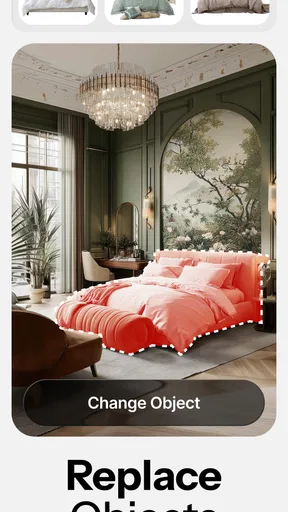
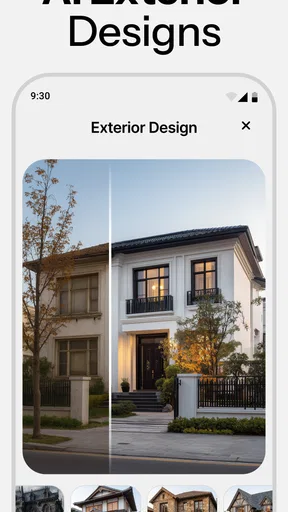
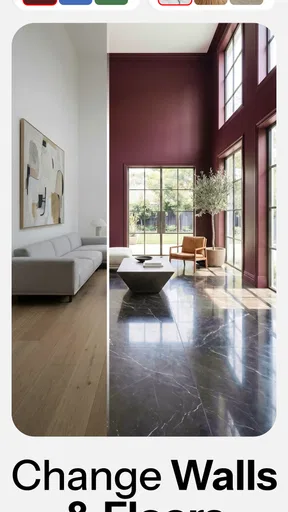
 Analysis by AppCompare
When I use a room-design app, I want to see possibilities without having to learn a complicated design program first. Home AI - AI Interior Design is aimed at that kind of quick exploration: I can start with a room photo, try a different visual direction, and decide whether the idea feels worth pursuing. It is a lifestyle app from HubX, and its appeal is less about producing a construction-ready plan than giving an undecided room a fresh set of options.
Exploring the Features
Before judging any generated room, I find it useful to decide what I want the image to help me answer: whether a color feels too strong, whether a room seems calmer, or which general style fits my home. That keeps the feature exploration focused and makes it easier to move from browsing ideas to considering how they might work in the space.
Readability and navigation for quick decisions
From the moment I launched the app, I was greeted with a sleek and user-friendly interface. Home AI - AI Interior Design is designed to be intuitive, even if you’re like me and aren’t exactly the best at techy stuff. The app uses advanced AI technology to analyze your room and suggest design changes that match your tastes.
That approachable feel suits the app’s main job: helping me move from “I’m tired of this room” to a few visual directions I can react to. I don’t need to know the names of furniture styles before starting, and I can judge a concept by looking at it rather than translating a long description into a mental picture. For someone who finds traditional room-planning software intimidating, that lower learning curve is a real advantage.
The app has an average rating of 4.5 from around 954,000 ratings, and it has been installed over 10 million times. Those figures suggest that this kind of quick, image-led home inspiration has broad appeal, though popularity does not guarantee every generated result will fit an individual room. It is free to install, rated for Everyone, and the current version is 1.6.1; in-app purchases range from $4.99 to $64.99 per item. I’d treat the free entry point as a chance to see whether the workflow suits me before spending, and check any purchase details carefully when they appear.
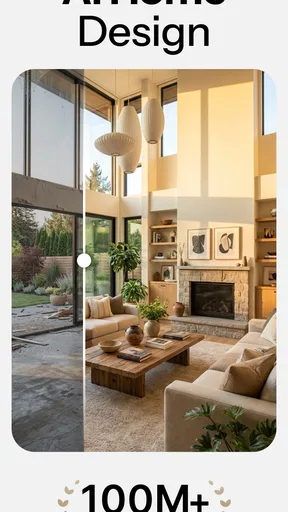
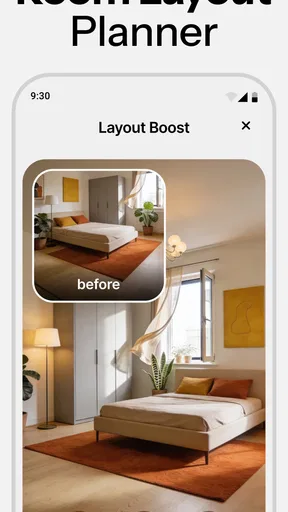
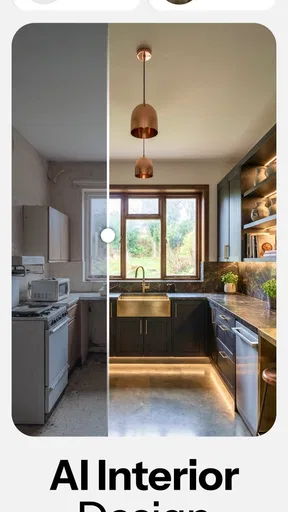
The coolest feature? The virtual room preview. I snapped a photo of my cluttered living room, and within seconds, the app generated a few different design options. It was like magic! From color palettes to furniture arrangement, it was all there. The AI even considered lighting and space, which really impressed me.
Motor and sensory considerations
The photo-based approach has a useful consequence for people who would rather not draw walls, enter room dimensions, or drag lots of small objects around a screen. I can begin with an existing view of my space and use the visual result to make broad choices, such as whether a lighter look feels calmer or a different furniture arrangement seems more open. That is a different kind of interaction from a detailed floor-plan editor, where precise placement and repeated gestures are often central.
Worth Reading Before You Choose

Baby Panda World Brings Quick Play to Modern Phones, but Its Game Library Feels Busy

ESPN’s Live Game View Makes Following Close Games Easier

QuizzLand Review: A Good Fit for Short Trivia Breaks, Not Every Player

Basketball Stars: Multiplayer Is Fast, but Can It Recover When Matches Go Wrong?

WEBTOON Turns Phone Updates Into a Better Reading Routine

Link to Windows Runs on Shared Habits, Not Social Feeds
It is still a visual-first experience, so it may not suit someone who needs design information presented in another format. Comparing images also asks for sustained attention: small changes in color, objects, and apparent layout can be easy to overlook, especially on a small display or in a bright room. I find it helps to pause between options and compare one question at a time—first the overall color mood, then the furniture impression—instead of trying to assess every detail in one glance.
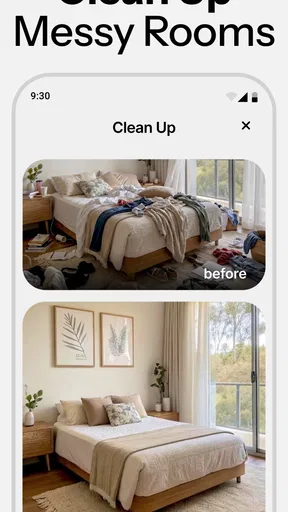
One practical tip is to take a clear, reasonably tidy photo before experimenting. A crowded foreground can distract from what I am trying to evaluate, while a straightforward view makes it easier to judge whether the room’s overall character has changed in a useful way. I would keep the original photo nearby as a reference, too: an attractive generated image is inspiration, not proof that every object will fit or that the real room’s dimensions have been captured exactly.
Situational access: inspiration at home or on the go
Home AI is most useful when I have a specific room and a decision to make but am not ready to buy furniture or hire a designer. Imagine standing in a small living room on a weekend, deciding whether to repaint before replacing the sofa. I can photograph the space, explore a few different looks, and show the options to someone who shares the room. That turns a vague conversation into something concrete: “Would you rather live with this lighter palette or that warmer one?”
It can also help renters or first-time decorators think through style before committing to changes. I would use it to compare broad visual moods, save a promising direction, and then check real-world constraints separately: measurements, existing pieces, lease rules, budget, and whether the proposed look can be achieved with what I already own. This distinction matters. A convincing preview can help me decide what I like, but it cannot replace checking whether a sofa can pass through the doorway or whether a specific item works in the room.
Compared with browsing inspiration boards, the app’s room-photo workflow makes the ideas feel more connected to my own surroundings. Compared with conventional floor-plan and interior-design tools, it asks less of me in terms of technical setup, but that simplicity comes with a trade-off: I should not expect the same control over exact measurements or precise object placement. If I need a dimensioned layout for a renovation, a dedicated planner or a professional is a better fit. If I mainly want a visual nudge to get unstuck, Home AI is the more casual place to begin.
Customization and flexibility
One of the things I loved was how customizable everything was. The app didn’t just throw random styles at me; it asked about my preferences first. Whether you’re into modern minimalism or cozy bohemian vibes, Home AI - AI Interior Design has your back. I spent a good chunk of my afternoon playing around with different looks, and it was surprisingly fun.
To get more value from those choices, I would change one thing at a time when comparing results. If I switch the style direction and the color mood together, I may like the new image without knowing which choice made the difference. Keeping a small set of favorites for the same room also gives me a better basis for discussion than generating a long stream of unrelated looks. That is especially handy when a partner or housemate has different tastes: each person can react to the same room rather than argue from separate reference pictures.
The app also lets you save your favorite designs, so you can come back later for a second look or show them off to friends. If you’re indecisive like me, this is a lifesaver. And get this, you can even share your designs directly from the app to social media, making it easy to get a second opinion.
There is a sensible trade-off in asking friends for feedback: their reactions can clarify what feels right, but a popular vote is not a substitute for your own needs. I would ask a focused question—whether the room feels too dark, too busy, or more welcoming—rather than asking everyone to choose an entire design. That keeps the conversation useful and avoids treating a polished preview as a final shopping list.
Remaining barriers and practical limits
Now, I know what you're thinking: "This sounds great, but is it practical?" Absolutely. The app provides links to purchase items directly, which is a nifty feature if you fall in love with a particular piece of furniture. No more endless searching online, trying to find that exact couch. Just click, and you’re on your way to a revamped living space.
I would still treat any suggested purchase as a lead to investigate, not an automatic match. Before buying, I’d check the item’s dimensions, materials, color, delivery terms, and price on the seller’s page, then compare those details with the actual room. An image can make a piece look perfectly scaled even when the real object would overwhelm a narrow space. The convenience of moving from an idea toward a product is useful, but it does not remove the ordinary checks involved in furnishing a home.
There is also a cost boundary worth keeping in mind. The app is free to download, while in-app purchases are offered at several price points. I would explore the basic experience first and only pay if a particular paid option solves a real need for me. People who simply want a one-time burst of decorating inspiration may not get enough ongoing value from a purchase, while someone actively comparing several rooms may feel differently. I would make that decision based on the exact option shown in the app rather than assuming every feature is included at no cost.
However, the app isn't perfect. Being reliant on AI, some suggestions may miss the mark, especially if your room has unique features or layouts. But hey, that's where your creativity kicks in. Use the app as a starting point and tweak the designs to suit your style.
That limitation is especially relevant in rooms where the details matter: awkward corners, built-in storage, unusual windows, or furniture that has to stay. I would not use a generated view as a reliable record of those constraints. If I am planning a costly renovation, coordinating trades, or trying to make a very small room function down to the last inch, a measured plan and expert advice are safer tools. Home AI works better earlier in the process, when I am still asking what direction feels appealing.
Who will get the most from it?
I’d recommend it to people who want to explore home styles visually, especially if they have a room photo ready and are choosing between broad ideas rather than calculating a full renovation. It can be a comfortable starting point for a beginner who wants to make a room feel more personal, or for someone who needs a visual prompt before talking through a change with family. The fact that it is rated for Everyone may make it approachable across age groups, but the actual usefulness still depends on being comfortable with an image-based app and its purchase choices.
I would steer away from it if my main requirement were accurate architectural planning, a guaranteed match to available products, or detailed control over every measurement. It is also less helpful if I cannot provide a useful room image or if seeing visual variations is not an accessible way for me to make decisions. In those cases, a text-led consultation, a paper sketch, a measured planning tool, or direct help from a designer may be a better route. The right alternative depends on whether the challenge is inspiration, precision, or communication.
For an everyday workflow, I’d take a room photo in good light, decide on one question to answer, and generate a few alternatives rather than chasing endless novelty. I’d save the strongest options, revisit them after a break, then verify any practical details in the real room. That simple sequence helps keep the app from turning into an entertaining but unproductive scroll through possibilities.
Final thoughts
All in all, Home AI - AI Interior Design is a game-changer for anyone looking to refresh their home without the hassle of hiring a professional designer. It’s a fun and engaging way to experiment with different looks, and you might just discover a style you never knew you loved. So, if you’re ready to give your space a makeover, why not give this app a shot? Your dream home might be just a few taps away!
My recommendation comes with a clear boundary: I see it as an idea generator, not a substitute for measurements, product research, or professional design work. Its visual approach can lower the barrier to trying a new look, while its AI results and purchase pathway call for a little skepticism and checking. For casual experimentation and shared conversations about a room, that balance works well. For precision or a non-visual planning process, I would choose a more specialized option instead.
Pros
- Easy-to-use interface for quick navigation.
- Wide range of design styles available.
- Real-time AI adjustments enhance creativity.
- Virtual room previews to visualize changes.
- Regular updates with new design features.
Cons
- Limited free features; premium needed for full access.
- Requires stable internet for optimal performance.
- Occasional lag on older devices.
- Some design options lack customization.
- In-app purchases can be pricey.
FAQs for Home AI - AI Interior Design
What is Home AI - AI Interior Design?
Home AI - AI Interior Design is an innovative app that utilizes artificial intelligence to assist users in designing the interior of their homes. It offers personalized design suggestions based on user preferences and space dimensions, helping transform ideas into visual reality with ease.
How does the AI functionality work in the app?
The AI in Home AI - AI Interior Design analyzes user inputs such as room dimensions, style preferences, and existing furniture. It then generates design suggestions and layout options that align with the user’s taste, offering a seamless and personalized design experience.
Is Home AI - AI Interior Design suitable for beginners?
Absolutely! Home AI is designed to be user-friendly for both beginners and experienced designers. The intuitive interface and step-by-step guidance make it simple for anyone to create professional-looking designs without prior experience in interior design.
What features does Home AI - AI Interior Design offer?
The app offers a range of features including 3D visualization of room layouts, a vast library of furniture and decor items, and the ability to virtually place items in your space. Additionally, users can save and share their designs with friends or professionals for feedback.
Is there a cost associated with using Home AI - AI Interior Design?
Home AI offers both free and premium versions. The free version provides basic design tools, while the premium version unlocks advanced features such as access to exclusive design elements and higher-resolution 3D renders. Users can choose the version that best suits their needs.


